
TLDR;
This video explains how the internet works, focusing on the journey of data from a Google Data Center to your device. It covers the use of optical fiber cables, IP addresses, DNS servers, and data packet transmission. The video also touches on the role of ICANN and the efficiency of internet data transfer compared to other communication methods.
- Data travels from data centers to your device via optical fiber cables, not satellites, to minimize latency.
- IP addresses and DNS servers are crucial for directing data to the correct destination.
- Data is broken into packets, each containing sequence numbers and IP addresses, and routed independently for efficient transmission.
Introduction: The Journey of Data [0:00]
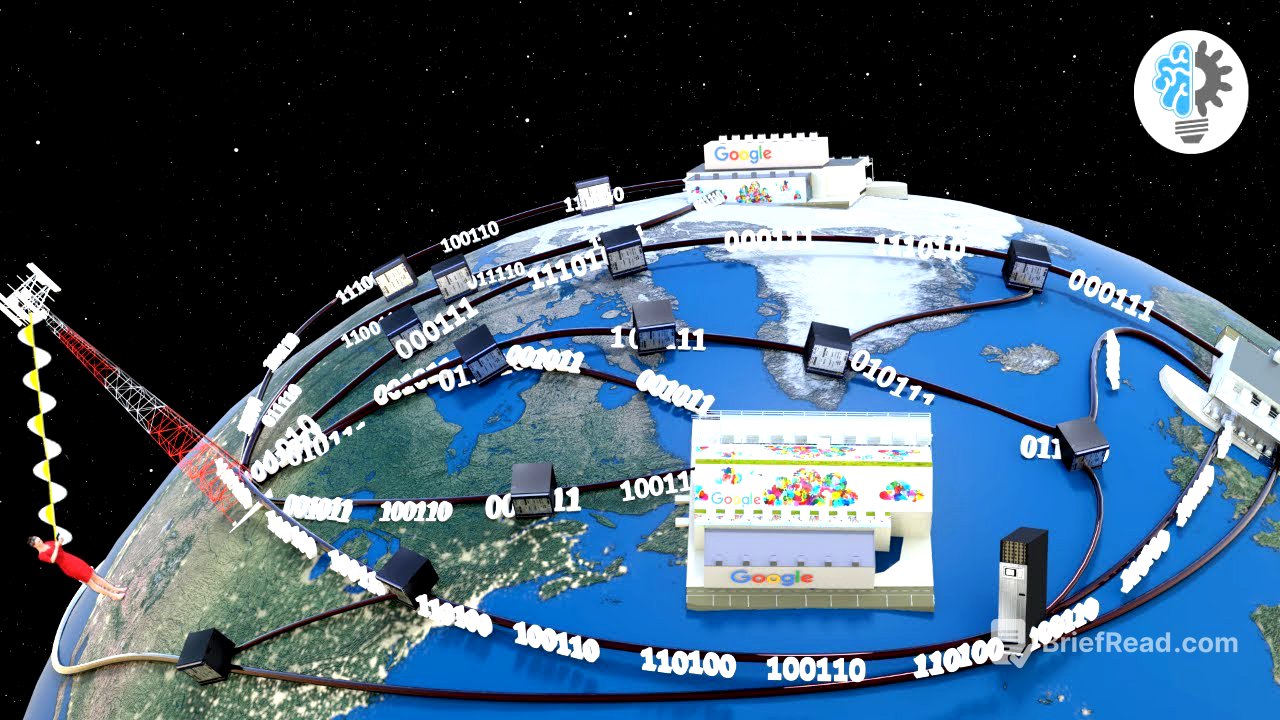
The video starts by illustrating how the video you're watching travels from a Google Data Center to your device. It aims to explain the internet's functionality by detailing this data's journey. The data center, potentially thousands of miles away, stores the video, and the video explains how this data reaches your device.
Why Satellites Aren't Ideal [0:32]
The video explains why using satellites for data transmission is not optimal. Although satellites could transmit signals from the data center to your device, the significant distance (44,000 miles) causes unacceptable latency. This delay makes satellite transmission unsuitable for most internet applications.
Optical Fiber Cables: The Backbone of the Internet [1:23]
The video explains that the internet relies on a network of optical fiber cables connecting data centers to devices. Your device connects to the internet through cellular data or Wi-Fi, eventually linking to this optical fiber network. The video you're watching is stored in a solid-state device (SSD) within the data center, acting as the internal memory of a server, which is a powerful computer providing requested content.
IP Addresses: The Internet's Shipping Addresses [2:22]
The video introduces the concept of IP addresses, which uniquely identify every device connected to the internet. IP addresses are like home addresses, ensuring information reaches its destination. Internet service providers assign IP addresses to devices, and servers in data centers also have them. Domain names (e.g., youtube.com) are used to simplify access to websites, as they are easier to remember than IP addresses. Servers can store multiple websites, and host headers are used to identify specific websites in such cases.
DNS: The Internet's Phone Book [4:14]
The video explains that the internet uses DNS (Domain Name System) servers to find IP addresses corresponding to domain name requests. DNS servers act like a phone book, providing the IP address when you enter a domain name. Your browser requests the IP address from the DNS server and then forwards the request to the data center server.
Data Transfer via Optical Fiber Cables [5:08]
The video describes how data is transferred in digital format via optical fiber cables as light pulses. These cables often traverse long distances and tough terrains, laid and maintained by specialized companies. Optical fiber cables are the backbone of the internet, stretching across the seabed to connect to routers. Routers convert light signals to electrical signals, which are then transmitted to devices via Ethernet cables. Alternatively, cellular data sends signals from optical cables to cell towers, reaching devices as electromagnetic waves.
ICANN: Managing the Internet [6:40]
The video highlights the role of ICANN, an organization that manages IP address assignment and domain name registration. ICANN ensures the internet functions smoothly as a global network.
Efficient Data Transmission: Packets and Protocols [6:56]
The video emphasizes the internet's efficiency in data transmission. Data is divided into small chunks called packets, each containing sequence numbers and IP addresses. These packets are routed independently, taking the best available path. Upon reaching the destination, packets are reassembled according to their sequence number. Protocols manage the complex flow of data packets, setting rules for data packet conversion, address attachment, and router functions. Different protocols are used for different applications.

![WIREGUARD VPN Server Configuration on Asus Routers [Client VPN]](https://wm-img.halpindev.com/p-briefread_c-10_b-10/urlb/aHR0cDovL2ltZy55b3V0dWJlLmNvbS92aS9yU3ZIUXcwS3d2TS9ocWRlZmF1bHQuanBn.jpg)